
Dissolution of My Self System Requirements
Light hardware, heavy subject matter. The game does not need a GPU because it does not need combat.
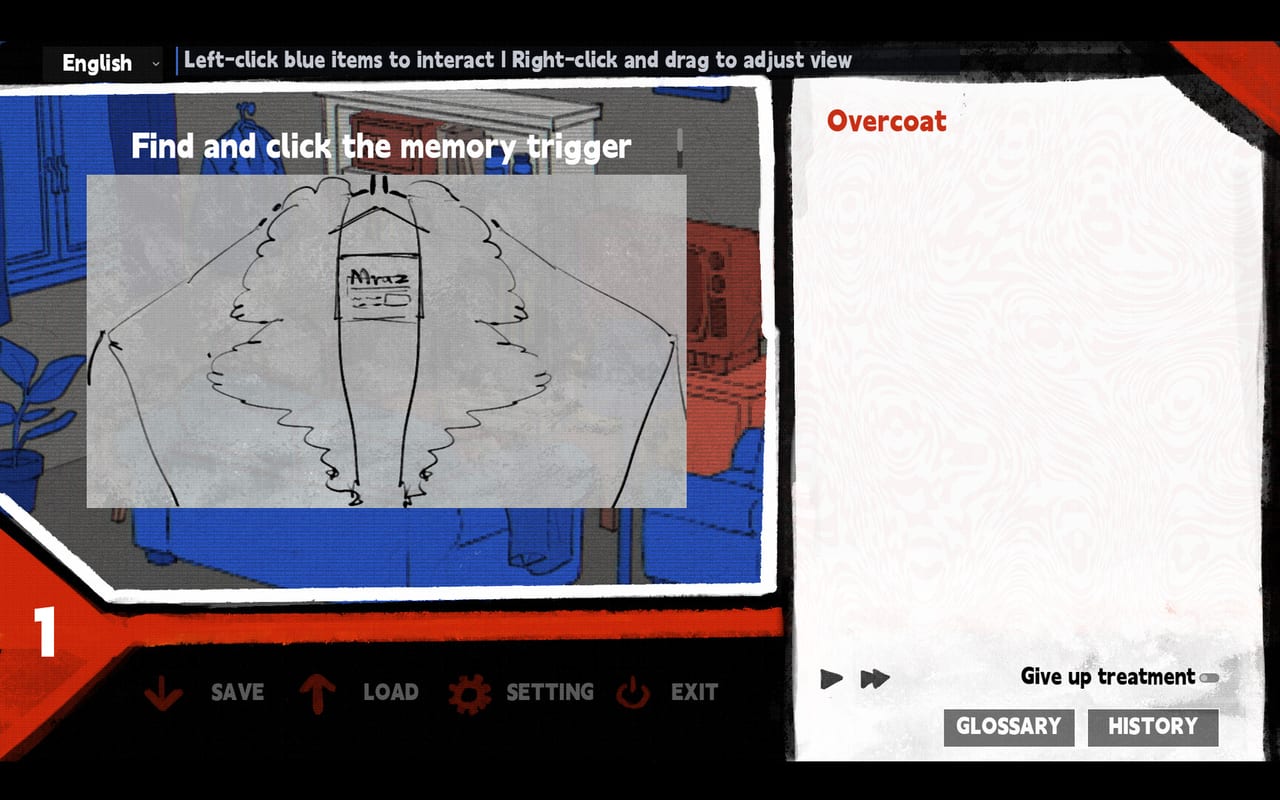
Dissolution of My Self ships as a point-and-click narrative with Japanese voice acting and painted character portraits. There is no 3D rendering, no real-time combat, and no particle-heavy effects. The Steam store lists the minimum as Windows 10 and approximately 600 MB of RAM. This page expands that into a practical read so you know whether your setup runs the rented room before you click buy.
Controls and input quirks are on how to play. A mouse is required for at least one gesture; trackpad users were hard-stopped on a passport interaction in the demo.
Minimum specifications
| Component | Requirement | Notes |
|---|---|---|
| OS | Windows 10 | No macOS or Linux build confirmed |
| Processor | Any 64-bit x86 | No special instruction set needed |
| Memory | ~600 MB RAM | The store says “about 600 MB”; ambient sound and voice files are the heavy lift |
| Storage | Under 1 GB estimated | Demo is a fraction of the full install |
| Graphics | Integrated GPU sufficient | No dedicated GPU required |
| Audio | Any Windows-compatible output | Japanese voice, no music-only track separate from SFX |
The game does not ship a GPU benchmark because it does not use the kind of rendering that makes GPU temperature a concern. If your laptop or desktop from the past six years runs Steam, it will probably run Dissolution of My Self.
Why there is no “recommended” tier
The store page lists only a minimum spec because the product is a visual novel engine with a painted room. There are no texture streaming downloads, no dynamic resolution scaling for mid-range cards, and no post-processing stack that benefits from a faster chip. The heavy assets are audio: Japanese voice files for Hector and Matvey. Everything else is 2D art and text.
Steam Deck and handheld PCs
The Steam store page does not list a Steam Deck verification status as of launch. The game is:
- 2D, low system demands, Windows-native via Steam
- Point-and-click with mouse input strongly recommended
- Fully voiced in Japanese, which means screen readers are not the target use case
If you play on a Steam Deck or handheld, expect to use an on-screen pointer or connect a mouse. The experience is a sitting experience, not a commute experience, even on portable hardware. The developers said the game is not suitable for public play despite not being an adult title.
Cloud gaming and remote play
Steam cloud saves are supported for save data. The game does not require persistent connection. If you stream via Steam Remote Play or a cloud service that streams a Windows desktop, the same minimum requirements apply to the host machine. The client only needs to decode video and send input.
What the RAM figure means in practice
“About 600 MB of RAM” for a visual novel-style game typically means the executable plus loaded assets, not the full install size. Your operating system and other open programs add on top of that. On a machine with 4 GB of total RAM and a modest set of background apps, the game should still run without paging. On a machine with 2 GB or less, you may hit slowdowns during scenes with heavy voice audio.
Input hardware
The demo confirmed that trackpad input caused problems with at least one gesture (passport long-press-and-scroll). The developer said the demo required a mouse. For the full game:
- A basic USB mouse is sufficient
- Wireless mice work via Bluetooth or USB dongle
- Touchscreen-only laptops are a risk; connect a mouse if your device has only touch input
- Gamepads are not supported for navigation
If you are already in the demo and a hotspot will not respond, check how to play for the gesture list before assuming your hardware is the problem.
Installation and uninstallation
The game installs through Steam like any other title. Uninstalling removes all local save data unless you back it up manually via the Steam cloud or copying the save folder. Local saves on Windows typically live in your user directory; the game does not ship a cloud save management UI separate from Steam achievements.
Verifying your setup before buying
The free demo is the honest benchmark. If your machine runs the demo without audio crackling, visual stuttering, or input failures, the full game will run. The demo is a 30–50 minute slice; the full game is the same engine with more content. There is no scenario where the full game runs worse than the demo on identical hardware.
For support when hardware causes problems, use the mail on the Links page. Mention your OS, RAM, and whether you are on the demo or 1.0 build.
Frequently Asked Questions
Quick answers to the most common questions.
Does Dissolution of My Self run on a laptop without a dedicated GPU?
Yes. The game uses 2D assets and does not require a graphics card. Integrated graphics are sufficient.
Can I play it on Steam Deck?
Steam Deck status is not verified on the store page. The game requires mouse input and is designed for sitting play, not portable commuting. Connect a mouse if you try it on a handheld.
How much storage space does it need?
Under 1 GB estimated. The heavy assets are audio files; art and text are small.